Quick answer
Go to perplexity.ai, enter your MUST University institutional email and complete the academic verification through the university portal. Once your enrollment is confirmed, Perplexity Pro is unlocked with a 50% discount (US$ 9/month instead of US$ 17/month, price checked on 08/07/2026).
Before you start
- An active MUST University institutional email.
- Access to the authenticator app (MFA) used to log in to the Student Portal.
- Your date of birth on hand, to complete the academic verification form.
How it works
Perplexity runs an education program that unlocks Perplexity Pro at a discount for verified students. Verification is done with your MUST University institutional email and, at the end of the process, requires logging in to the university portal to confirm your academic enrollment. With the discount, the subscription costs US$ 9/month, versus US$ 17/month at full price (prices checked on 08/07/2026). How long the 50% discount lasts depends entirely on Perplexity and can be changed or ended at any time, without notice.
| Perplexity Pro Education feature | What changes |
|---|---|
| File uploads | Unlimited |
| Study and research modes | Advanced modes, geared toward in-depth academic work |
| AI models | Access to the most advanced models available on the platform |
Step by step
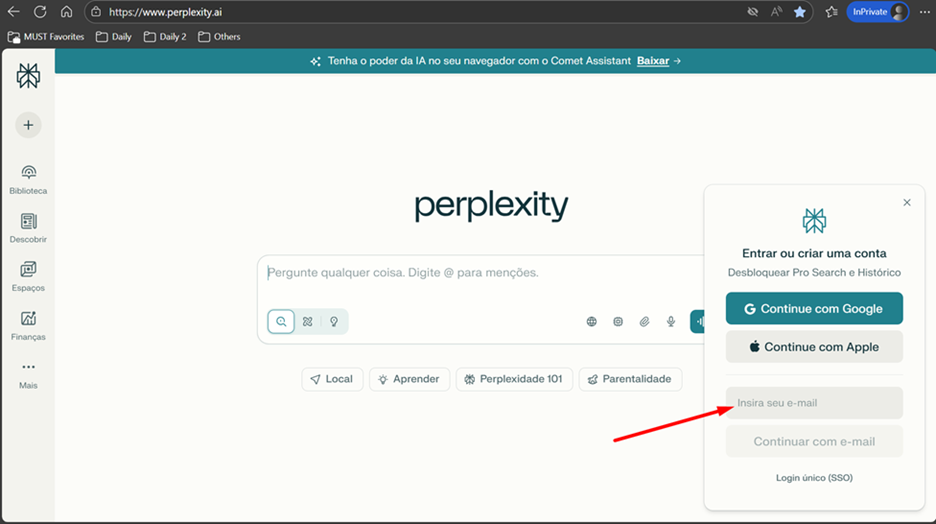
- Open your browser and go to the Perplexity website: https://www.perplexity.ai/.
- Enter your MUST University institutional email to start signing up or logging in.
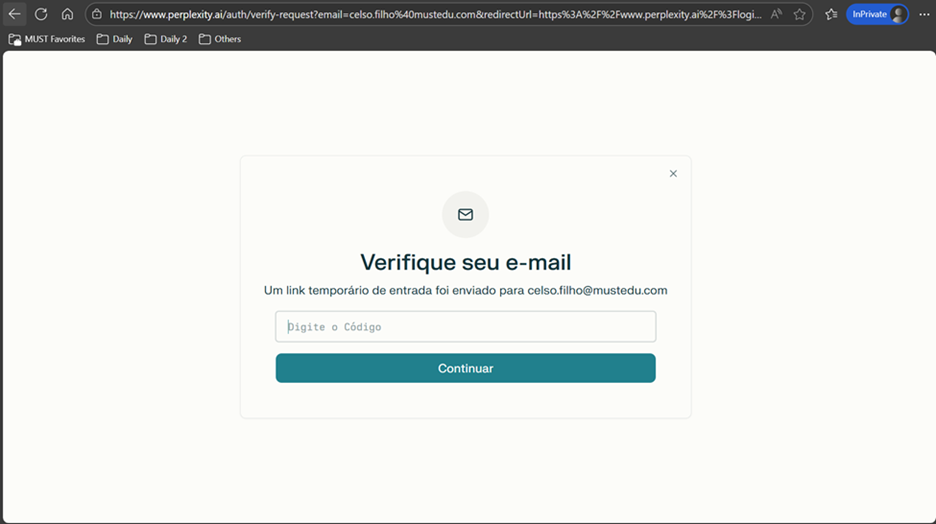
- Open your institutional email inbox and enter the verification code you received.
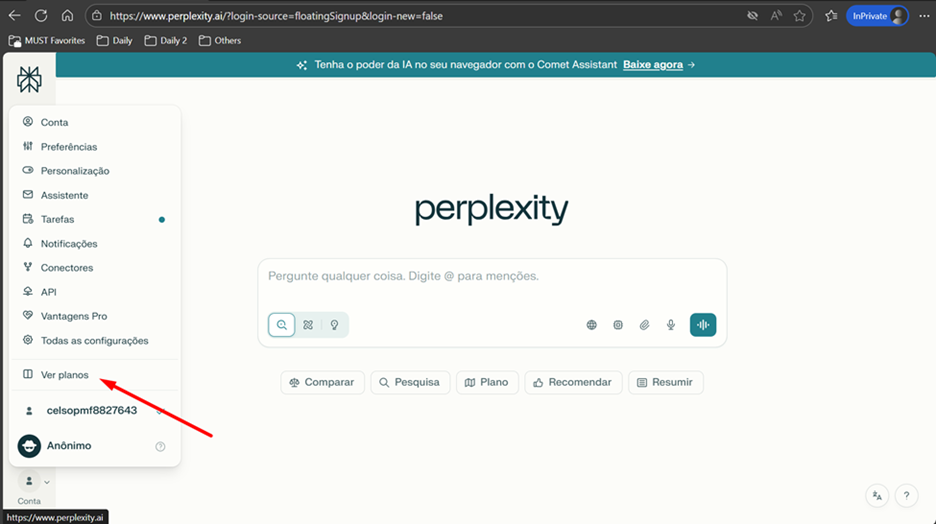
- From the account menu, go to the subscription plans area.
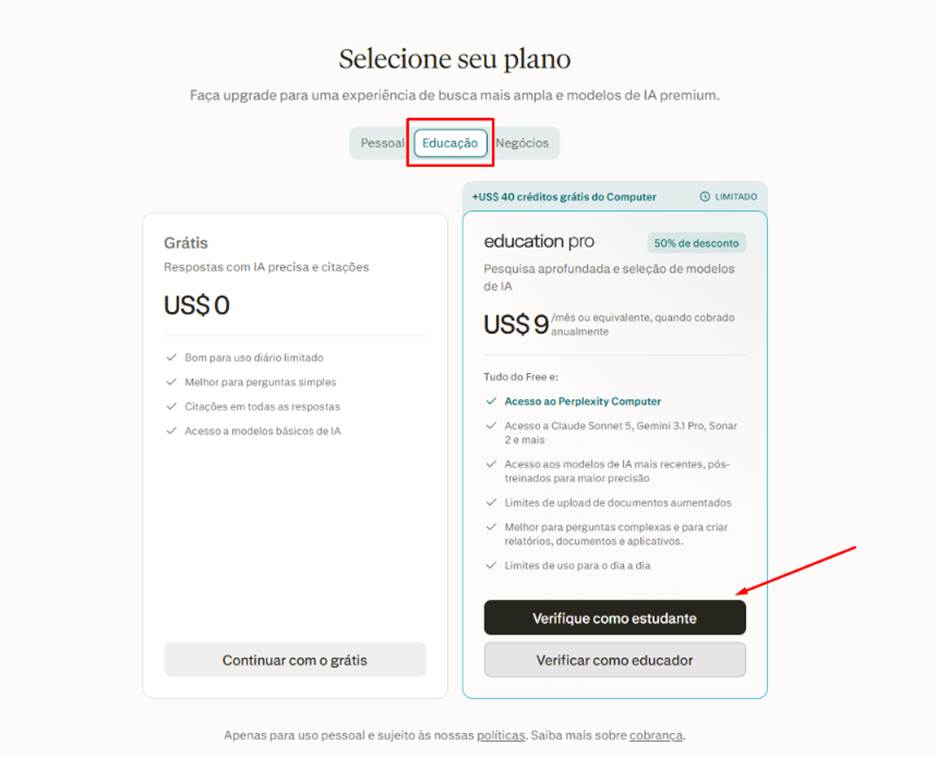
- Choose the education verification option and start the student verification process.
- Fill in the academic verification form with: Country Brazil; university/college name Miami College LLC – Boca Raton, Florida; your first name, last name and date of birth; and your MUST University institutional email. Then move on to the next step.
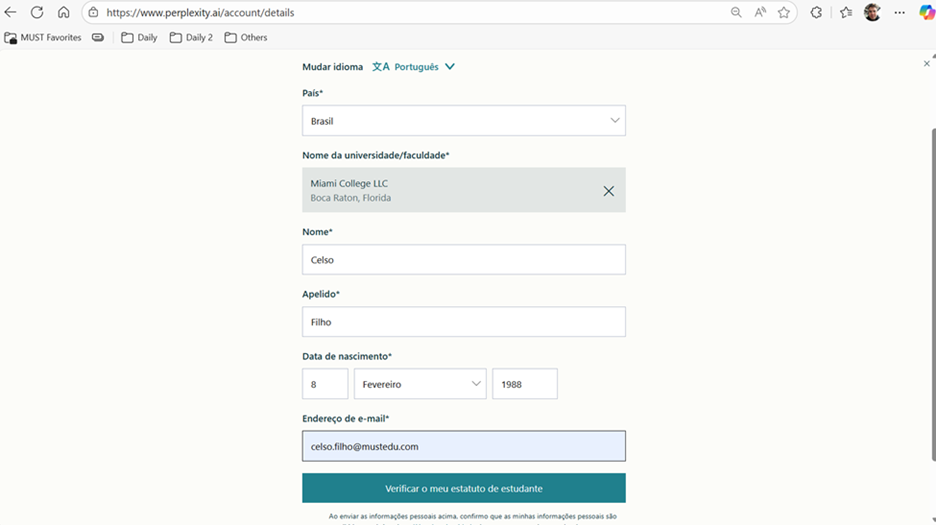
- Continue to confirm your enrollment by logging in to the MUST University portal.
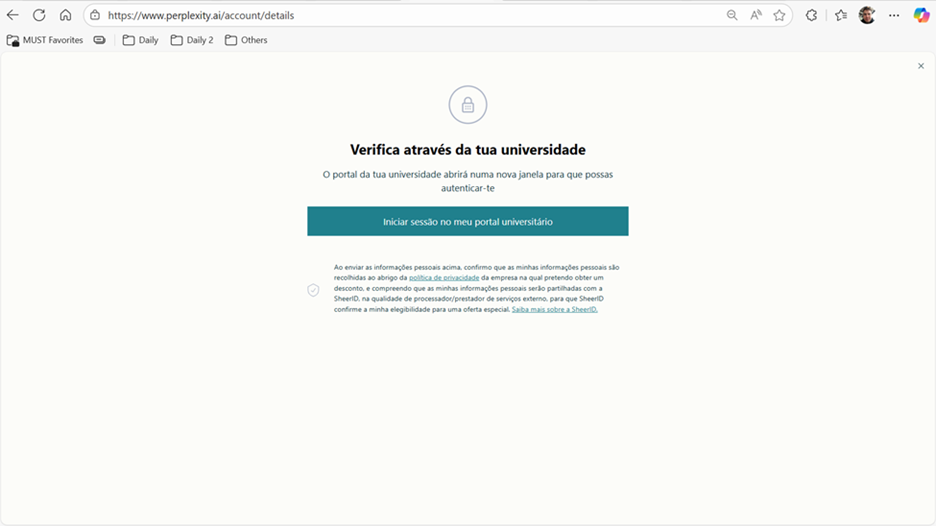
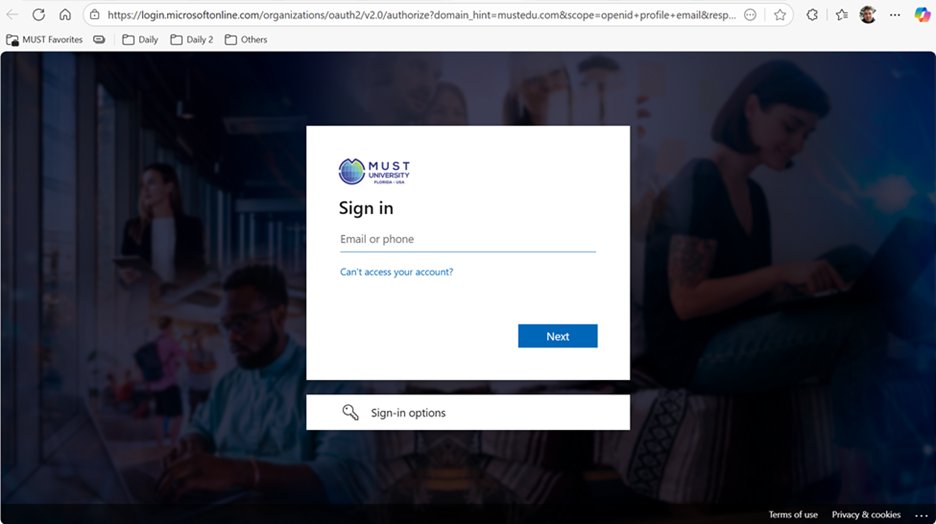
- Log in using your institutional email and your Student Portal password.
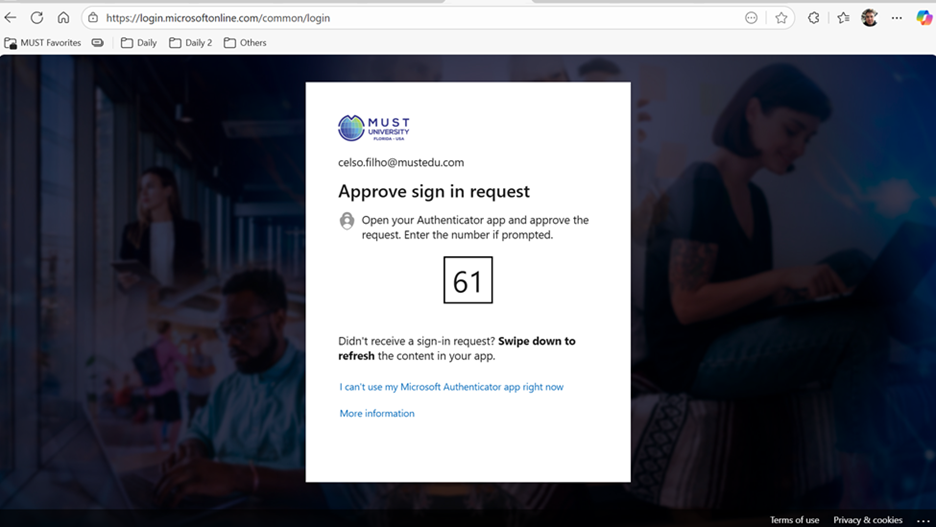
- Enter the verification code generated by the authenticator app linked to your institutional account.
- If asked whether to stay signed in, confirm by clicking Yes.
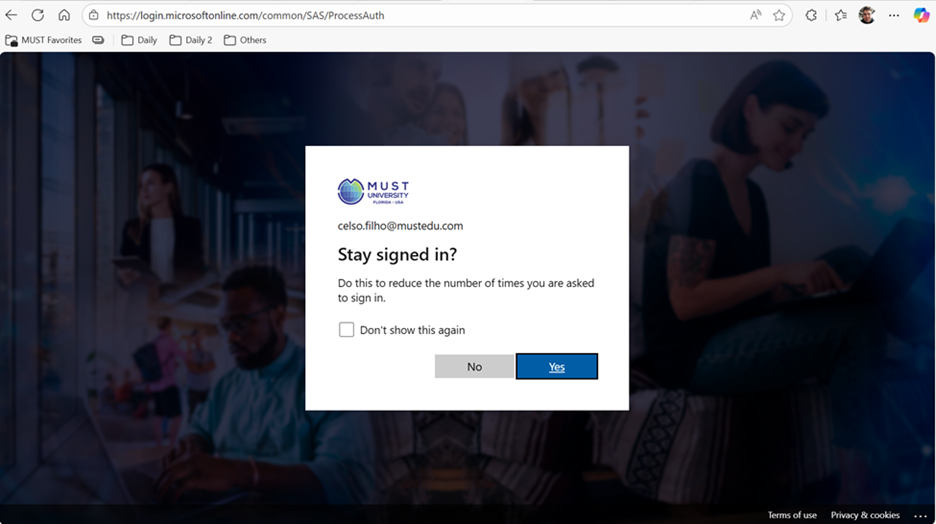
- Move on to the next confirmation step.
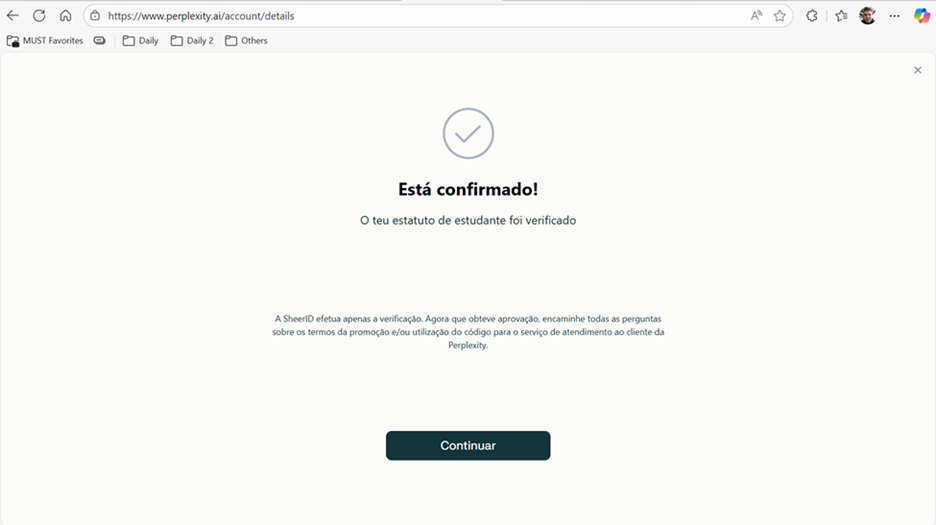
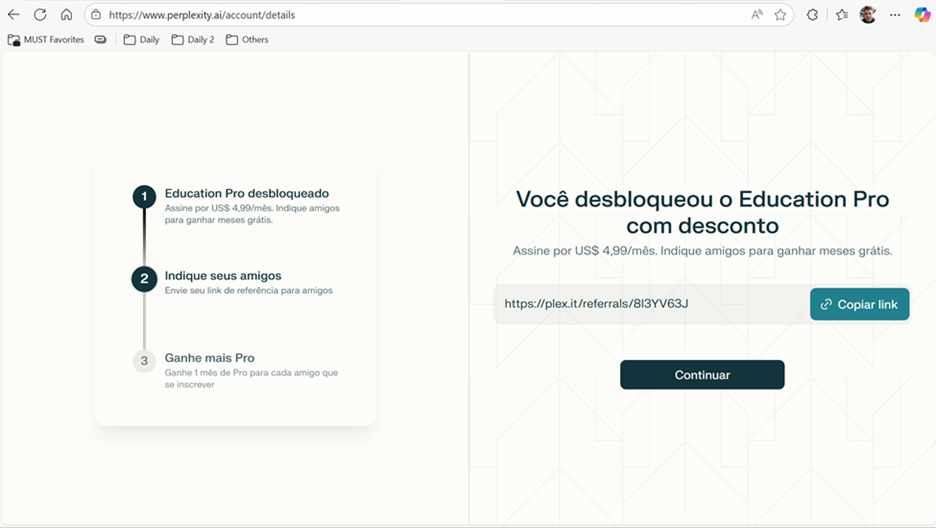
- Once Pro access is enabled, continue once more to finish the process.
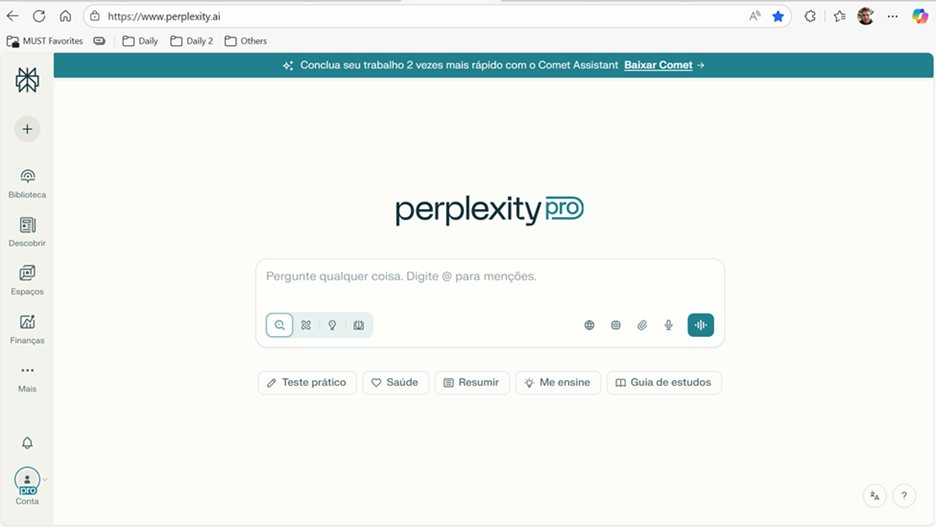
- Done. You will be taken to the Perplexity home page, now with full access to Perplexity Pro features.
Frequently asked questions
How much does Perplexity Pro cost with the MUST discount?
With the discount, the subscription costs US$ 9/month. The full price, without the discount, is US$ 17/month. These prices were checked on 08/07/2026 and may change without notice.
Is the 50% discount guaranteed forever?
No. How long the discount lasts depends entirely on Perplexity and can be changed or ended at any time, without notice.
Can I activate the benefit with my personal email?
No. Verification requires your MUST University institutional email and, at the end, logging in to the university portal to confirm your academic enrollment.
What should I enter as the university name on the verification form?
Enter exactly Miami College LLC – Boca Raton, Florida, which is the institutional name MUST University uses for academic enrollment verification.
What does Perplexity Pro actually unlock?
Unlimited file uploads, advanced study and research modes, and access to the most advanced AI models on the platform.
Didn't work? Do this
| Situation | What to do |
|---|---|
| You didn't receive the email verification code | Check the spam/junk folder of your institutional email and wait a few minutes before requesting a new code. |
| Error logging in to the university portal during verification | Confirm you are using your institutional email and current Student Portal password. If it keeps failing, reset your password through MUST University's official channel. |
| The discount wasn't applied after verification | Check that you entered the university name exactly as Miami College LLC – Boca Raton, Florida, and that all the data you submitted matches your institutional record. |
| Nothing worked | Open a ticket through MUST University's Knowledge Base so the support team can verify your eligibility and complete the activation. |
See also
In the Knowledge Base
Was this article helpful?
That’s Great!
Thank you for your feedback
Sorry! We couldn't be helpful
Thank you for your feedback
Feedback sent
We appreciate your effort and will try to fix the article