Summary
Spotify is one of the world’s leading music and podcast streaming platforms. Students from MUST University can access the Spotify Premium Student plan with a special discount for up to 12 months, using their institutional email and academic verification. This guide explains, clearly and step by step, how to activate the benefit.
Keywords & Tags
Spotify Premium Student, Spotify student discount, MUST University, student benefit, institutional email, music streaming.
Description
Spotify offers access to millions of songs, podcasts, and playlists without ads, with the option to download content and listen offline.
MUST University students are eligible for an exclusive discount on the Spotify Premium Student plan, valid for 12 months, after confirming their academic enrollment.
This tutorial was created to guide you through the activation process in a simple and secure way.
Benefit Overview
Spotify Premium Student includes all Premium features:
Ad-free music
Offline listening
Unlimited skips
The discount is valid for 12 months, with the possibility of annual renewal while the student remains eligible.
Academic verification is completed using the MUST University institutional email, through Spotify’s student verification system.
Step-by-Step Instructions
1. Access your Spotify account
Log in to your Spotify account using the website or app.
2. Go to the Premium section
From the main menu, click on Premium.
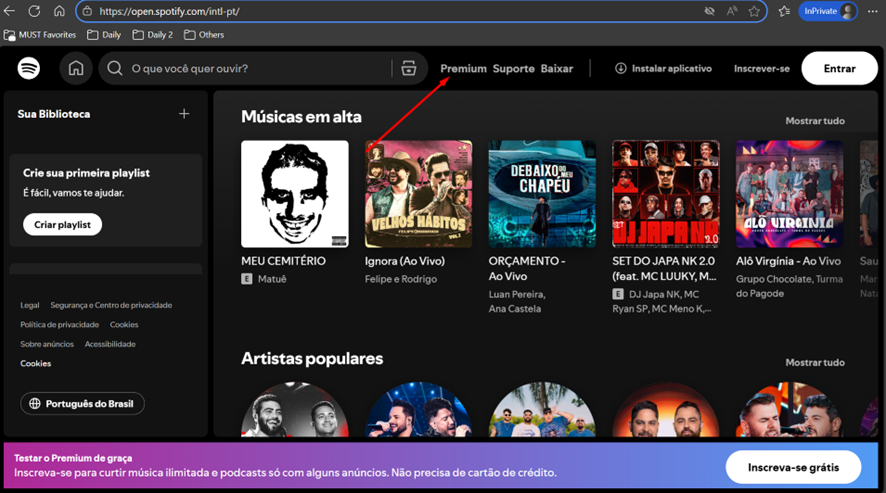
3. Select the Student Premium plan
On the plans page, choose Student Premium.
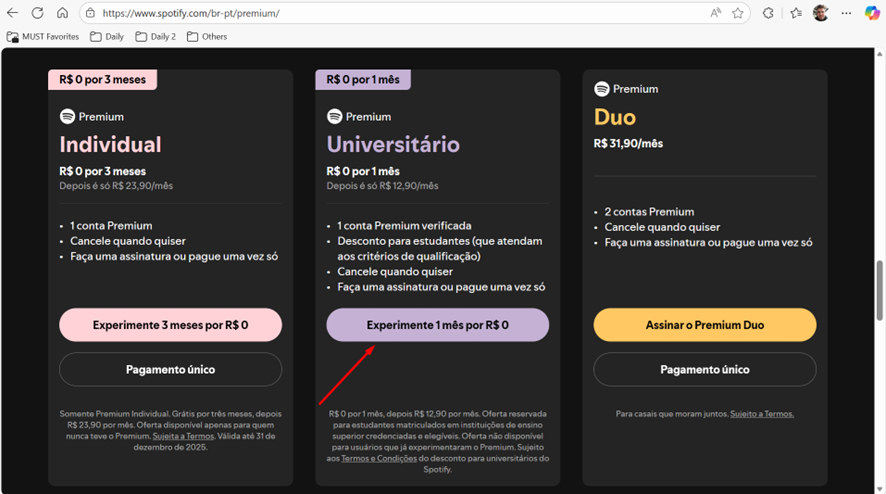
4. Confirm that you are a student
Click Next to start the student verification process.
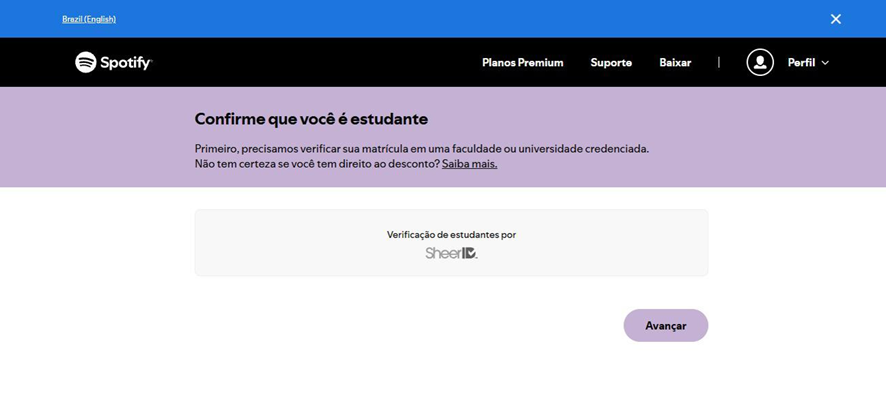
5. Enter your academic information
Fill in the required information (name, institution, MUST University institutional email, etc.).
Then click Verify my student status.
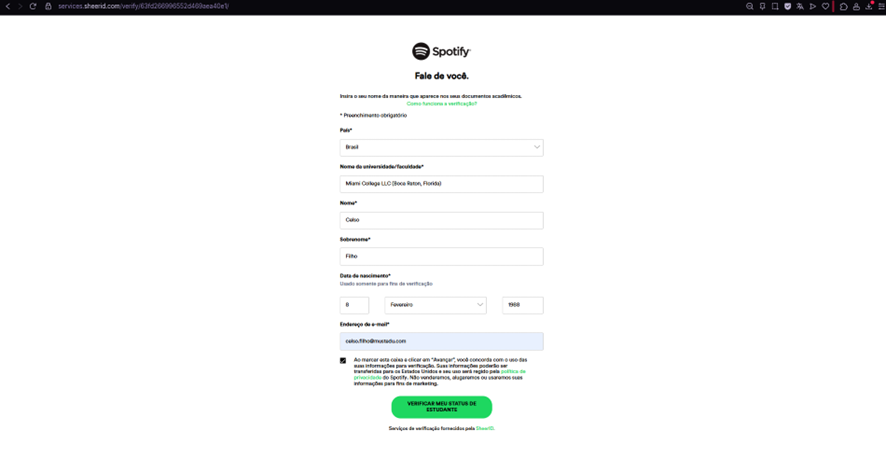
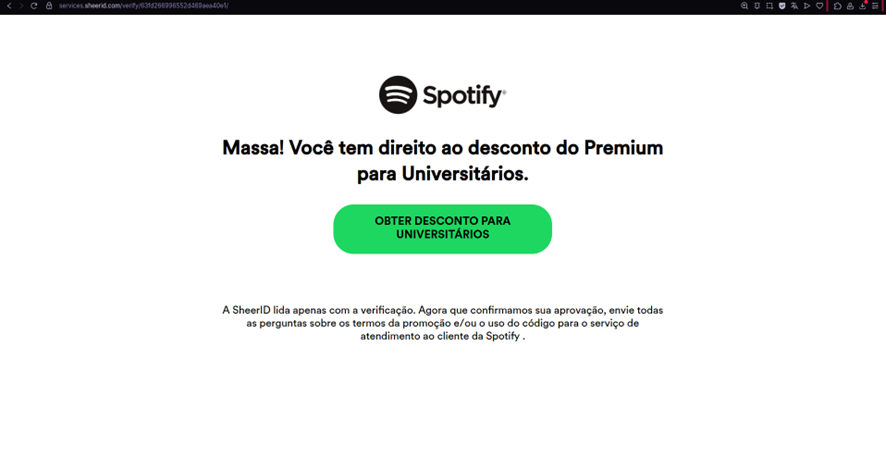
6. Request the student discount
Once your status is verified, click Get Student Discount.
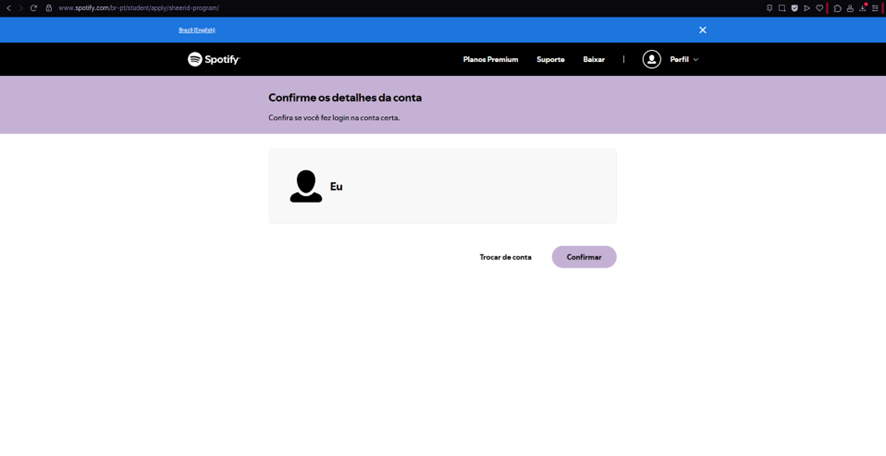
7. Confirm your Spotify account
Review your account details and click Confirm.
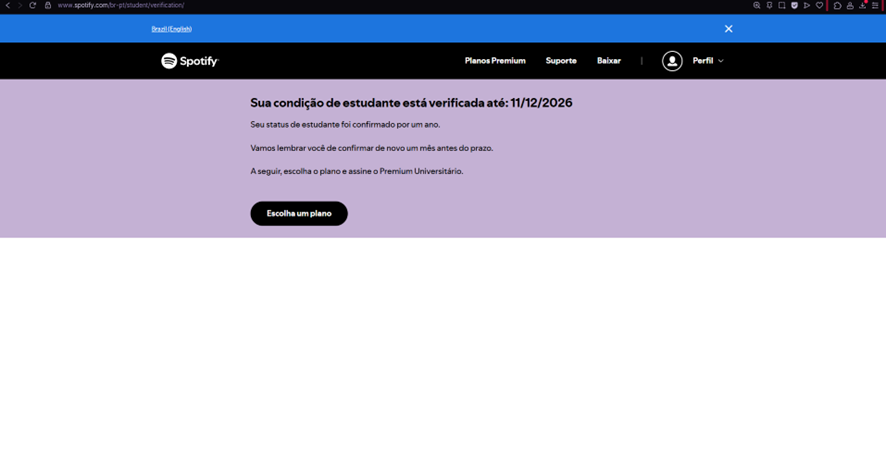
8. Choose your plan
After student verification, click Choose a plan to complete the subscription.
9. Completion
That’s it! ?
You have successfully activated Spotify Premium Student with a discount.
Click Go to my account to return to your Spotify account page.
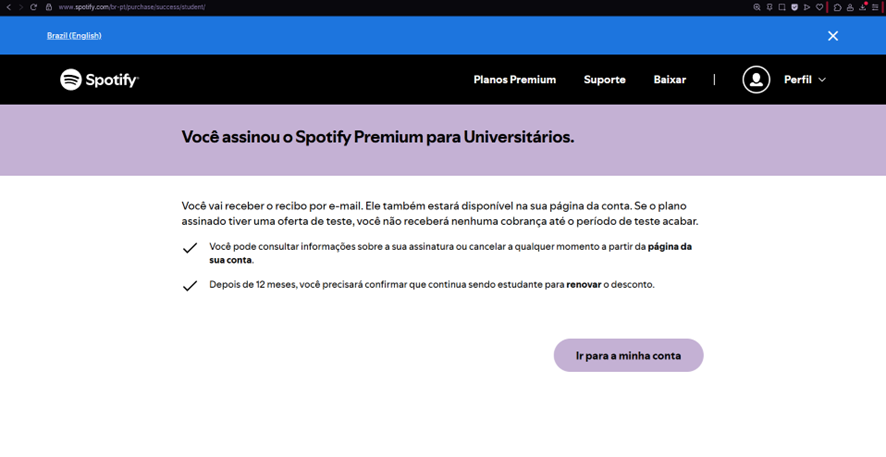
Done!
Was this article helpful?
That’s Great!
Thank you for your feedback
Sorry! We couldn't be helpful
Thank you for your feedback
Feedback sent
We appreciate your effort and will try to fix the article